
2.5 KiB
lazyff
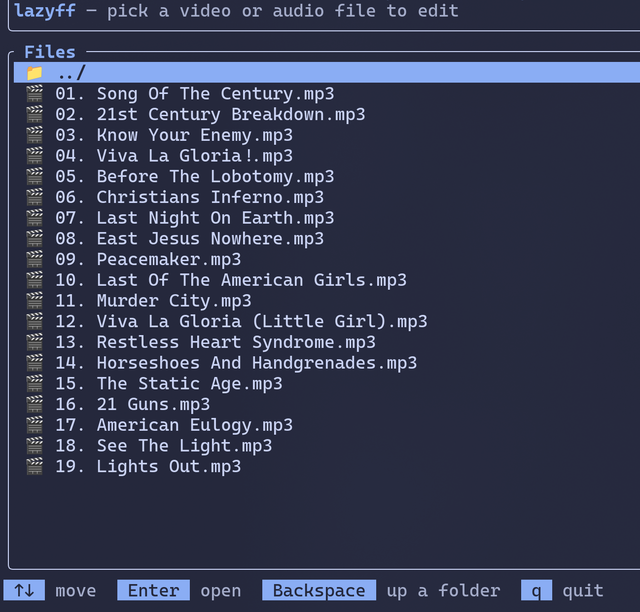
A friendly terminal UI for FFmpeg. Trim, resize, crop, compress, convert and apply effects to video and audio — without memorizing a single flag.
lazyff always shows the exact ffmpeg command it is about to run, so you can
learn FFmpeg as you use it (and copy-paste the command anywhere).
Requirements
ffmpegandffprobeon your PATH- A terminal
Install / run
cargo run --release
# or
cargo install --path .
lazyff
lazyff opens a file browser in the current directory. Pick a video or audio
file, then stack up edits and press r.
What it can do
| Edit | Examples |
|---|---|
| Trim / Cut | keep 0:30 → 1:45, instant lossless stream copy |
| Resize | 1080p/720p/480p presets, half size, custom |
| Crop | centered square / 16:9 / 9:16 / 4:3, custom rectangle |
| Rotate / Flip | 90°, 180°, mirror |
| Speed | 0.25x – 4x, audio pitch preserved |
| Color adjust | brightness, contrast, saturation |
| Visual effects | grayscale, sepia, blur, sharpen, vignette, denoise, fades |
| Frame rate | 12 – 60 fps |
| Compress | H.264/H.265 with plain-English quality presets |
| Convert format | MP4, MKV, WebM, MOV, GIF (with palette pass), MP3, M4A, WAV |
| Audio | remove track, volume, loudness normalization |
Edits combine: add a trim, a resize and a compress, and lazyff builds one ffmpeg command that does all three in a single pass.
Audio files (MP3, FLAC, WAV, ...) only offer the edits that make sense for them — trim, speed, volume/fades, and conversion between audio formats (MP3, M4A, FLAC, WAV, OGG).
Keys
File browser — ↑↓ move, Enter open, Backspace parent folder, q quit
Editor — a add edit, Enter change, d delete, J/K reorder,
o output name, r run, Esc back to files, q quit
Forms — ↑↓ field, ←→ change choice, type into text fields,
Enter save, Esc cancel
While encoding you get a progress bar with speed readout; Esc cancels and
removes the partial output. Output files are written next to the input as
<name>_lazyff.<ext> (rename with o); lazyff refuses to overwrite the
input file.